
I’ve been using SVGs in websites for a long time now but always as files on disk linked either via img or image tags. Recently, however, I started to use them in-content as if they were actually HTML tags. By doing this you have easier access for color changes as well as adding things like animations. Below is a very basic start to finish from Illustrator to page. Obviously your browser needs to support SVG but that’s outside of this post.
For starters, I created a very simple Adobe Illustrator file with the lowercase letter “c” in Arial, converted the letter to outlines and saved as an SVG.

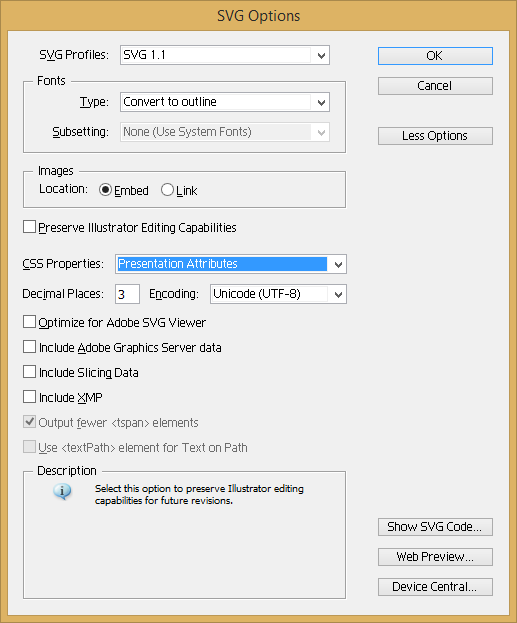
This produced the following SVG:
<?xml version="1.0" encoding="utf-8"?>
<!-- Generator: Adobe Illustrator 15.1.0, SVG Export Plug-In . SVG Version: 6.00 Build 0)  -->
<!DOCTYPE svg PUBLIC "-//W3C//DTD SVG 1.1//EN" "http://www.w3.org/Graphics/SVG/1.1/DTD/svg11.dtd">
<svg version="1.1" id="Layer_1" xmlns="http://www.w3.org/2000/svg" xmlns:xlink="http://www.w3.org/1999/xlink" x="0px" y="0px"
     width="134.535px" height="157.373px" viewBox="0 0 134.535 157.373" enable-background="new 0 0 134.535 157.373"
     xml:space="preserve">
<g>
    <path d="M114.396,101.42l20.139,5.087c-4.222,16.541-11.818,29.154-22.786,37.838c-10.969,8.686-24.378,13.028-40.226,13.028
        c-16.401,0-29.741-3.338-40.018-10.018c-10.277-6.678-18.099-16.35-23.461-29.014C2.681,105.676,0,92.078,0,77.544
        c0-15.847,3.027-29.671,9.083-41.471c6.055-11.798,14.671-20.762,25.848-26.886C46.107,3.062,58.408,0,71.835,0
        c15.224,0,28.028,3.876,38.409,11.626c10.38,7.751,17.611,18.651,21.696,32.699l-19.828,4.671
        c-3.529-11.072-8.651-19.135-15.363-24.187c-6.713-5.051-15.156-7.578-25.329-7.578c-11.696,0-21.472,2.803-29.326,8.409
        c-7.855,5.605-13.375,13.131-16.558,22.578c-3.184,9.446-4.775,19.188-4.775,29.222c0,12.942,1.885,24.239,5.657,33.894
        c3.771,9.654,9.636,16.869,17.596,21.644c7.958,4.775,16.573,7.163,25.848,7.163c11.279,0,20.83-3.252,28.651-9.758
        C106.333,123.878,111.627,114.224,114.396,101.42z"/>
</g>
</svg>
Next, I ran my SVG through the SVGO library via the SVGO GUI tool to optimize/shrink my SVG. The optimized SVG (with whitespace added back just to make it easier to post here) now looks like:
<svg xmlns="http://www.w3.org/2000/svg" width="134.535" height="157.373" viewBox="0 0 134.535 157.373">
    <path d="M114.396 101.42l20.139 5.087c-4.222 16.541-11.818 29.154-22.786 37.838-10.969 8.686-24.378 13.028-40.226 13.028-16.401 0-29.741-3.338-40.018-10.018-10.277-6.678-18.099-16.35-23.461-29.014-5.363-12.665-8.044-26.263-8.044-40.797 0-15.847 3.027-29.671 9.083-41.471 6.055-11.798 14.671-20.762 25.848-26.886 11.176-6.125 23.477-9.187 36.904-9.187 15.224 0 28.028 3.876 38.409 11.626 10.38 7.751 17.611 18.651 21.696 32.699l-19.828 4.671c-3.529-11.072-8.651-19.135-15.363-24.187-6.713-5.051-15.156-7.578-25.329-7.578-11.696 0-21.472 2.803-29.326 8.409-7.855 5.605-13.375 13.131-16.558 22.578-3.184 9.446-4.775 19.188-4.775 29.222 0 12.942 1.885 24.239 5.657 33.894 3.771 9.654 9.636 16.869 17.596 21.644 7.958 4.775 16.573 7.163 25.848 7.163 11.279 0 20.83-3.252 28.651-9.758 7.82-6.505 13.114-16.159 15.883-28.963z"/>
</svg>
If your browser supports SVG you should be able to see it here (with a border added by me):
(For the remainder of these changes I’m just going to be talking about the changes and then posting the raw SVG code for you to look at.)
So what can we do with this? How about just coloring it? We can add a simple style style="fill:#f00;" to the <path> tag to make it red:
Or maybe a radial gradient?